

What is Chairlog Analytics?
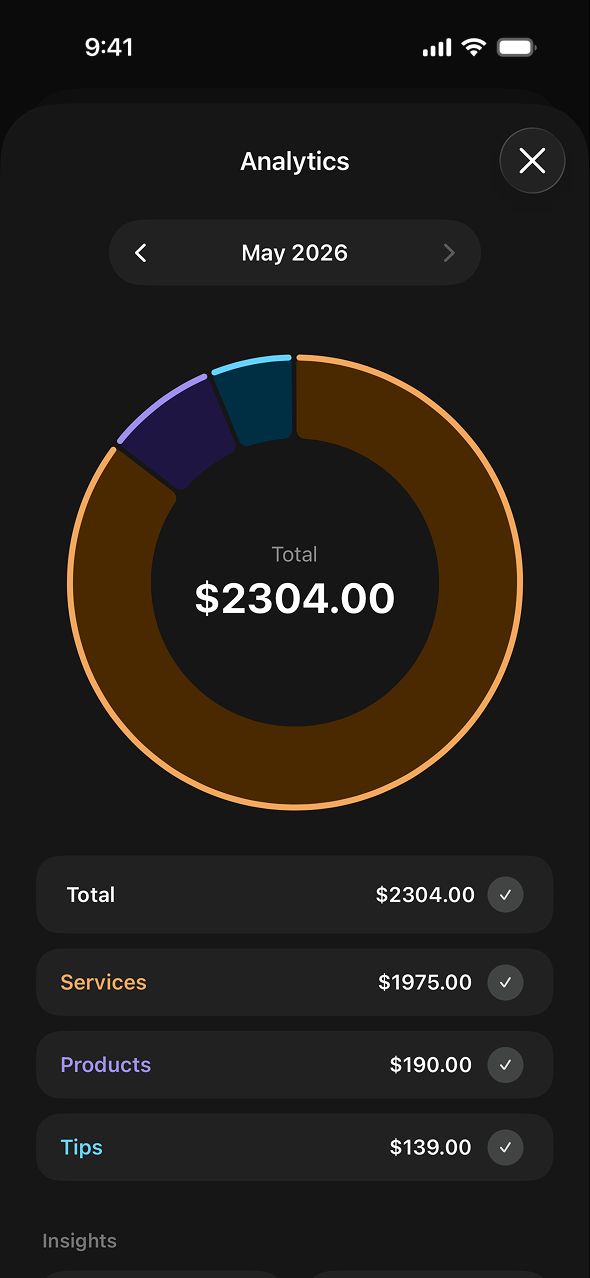
Chairlog Analytics is a chart view that shows your total earnings and how they split between services, products and tips for a week, month, quarter or all time.
Open it from History. Pick a range, use the arrows to move to earlier periods, and toggle categories on or off. Totals for each category appear under the chart. Since version 2.0.5, Analytics opens much faster and switching between weeks, months and quarters is instant.
What does History show?
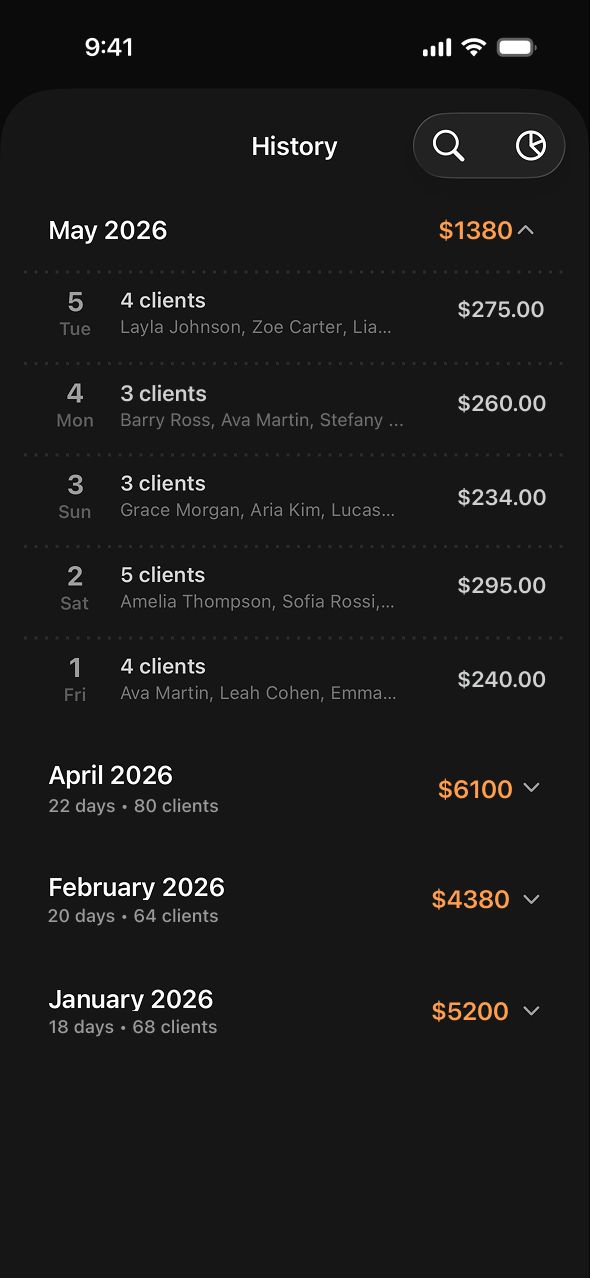
Chairlog History lists every working day grouped by month. Each month shows the total earned, number of working days and number of clients; each day shows its client count, the names and the total. Search finds any client across your history.
What questions can Analytics answer?
- How much did I earn this month compared to last month?
- What share of my income is tips?
- Is retail worth pushing — how much do product sales add?
- Which quarter was my busiest?
Range options
| Range | Best for |
|---|---|
| Week | Checking a busy or slow week |
| Month | Rent, budgeting and month-over-month comparison |
| Quarter | Seasonal trends and quarterly tax estimates |
| All Time | Your full picture since you started logging |
Frequently asked questions
What does Chairlog Analytics show?
Chairlog Analytics shows your total earnings split into services, products and tips as a donut chart with totals, for a week, month, quarter or all time. You can step back to earlier periods and filter categories.
Is Analytics free?
Free users can open Analytics in preview mode. Charts with your own data are part of Chairlog Pro, a one-time $2.99 purchase.
How far back does History go?
The free version shows the last 60 days of History. Chairlog Pro unlocks unlimited history.
Can I export my data for taxes?
Yes. Chairlog Pro can export your full work history as a CSV spreadsheet, which opens in Excel, Numbers or Google Sheets.